Login To your Account
Logging In
Users can login into their account according to the following options available:
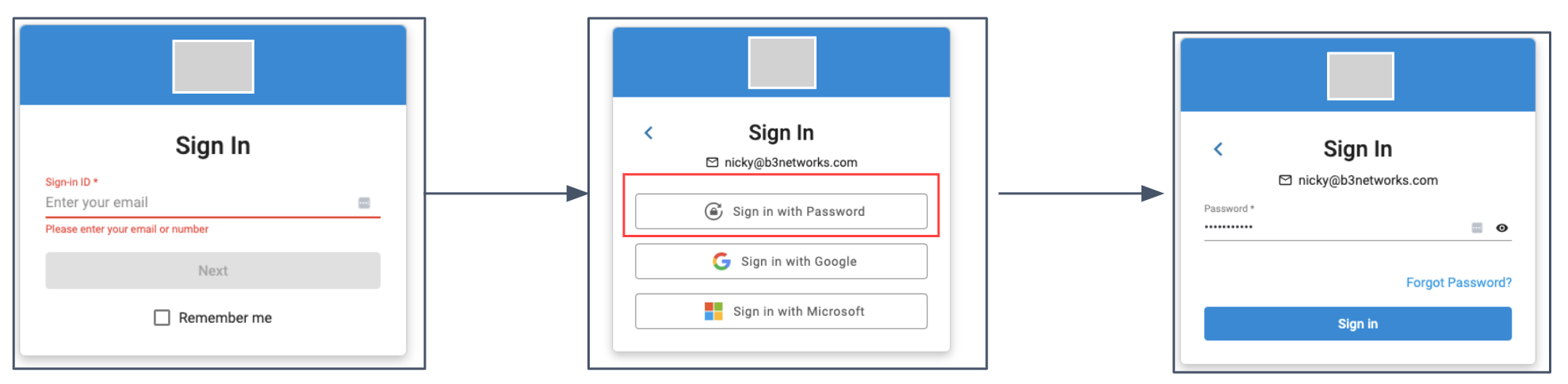
Sign In with Password
- Login to the Domain
- Enter a valid Email address
- Select the Option Sign In with Password
- Enter the Password
- Click Sign In
Note:
The default Sign In option is Sign In with Password.
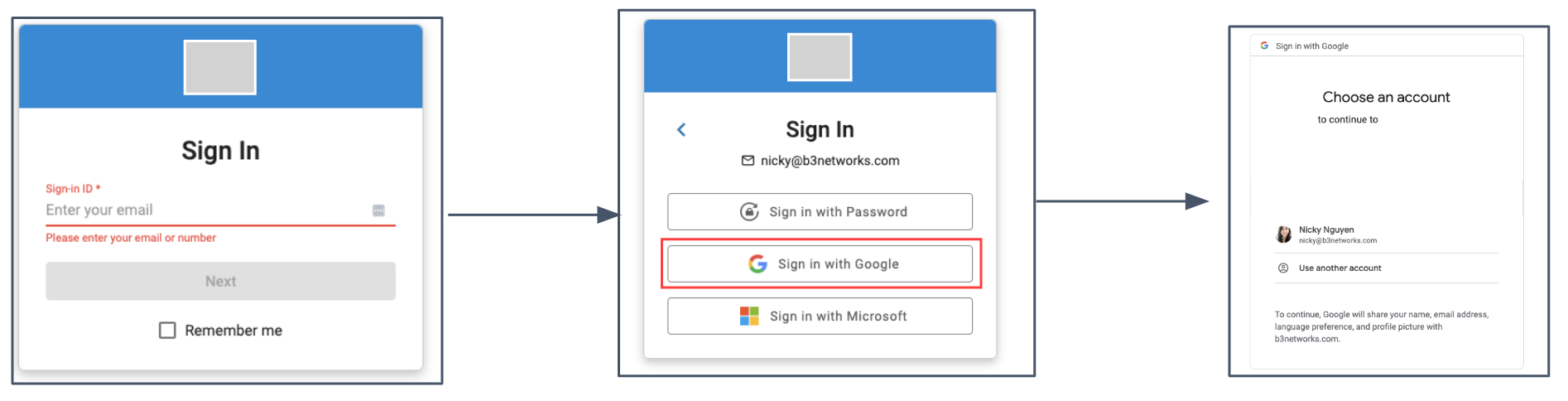
Sign In with Google
- Login to the Domain
- Enter a valid Email address
- Select the Option Sign In with Google
- Choose a Google Account to Proceed
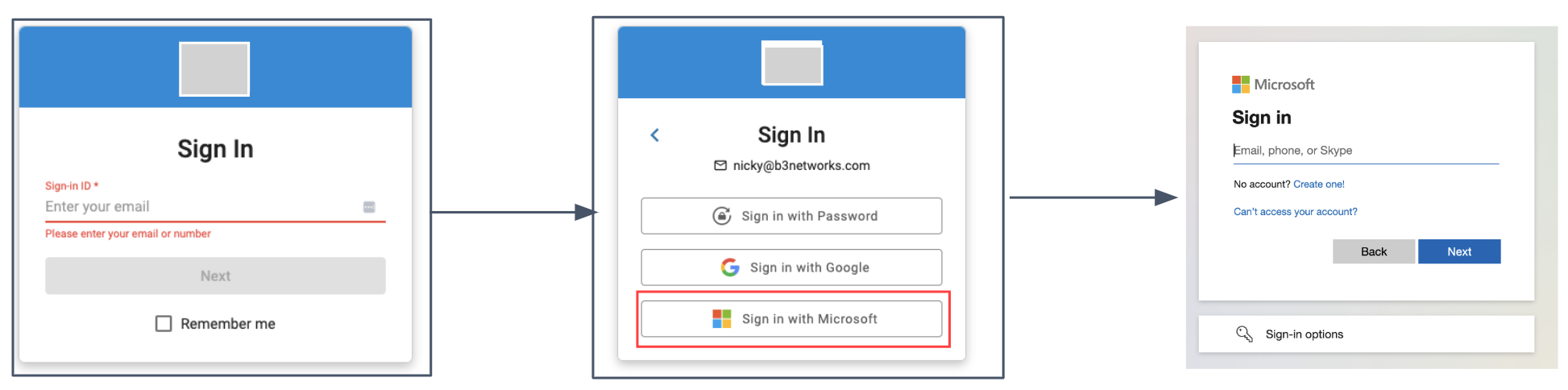
Sign In with Microsoft
- Login to the Domain
- Enter a valid Email address
- Select the Option Sign In with Microsoft
- Enter your Microsoft Email and Password
- Click Sign In
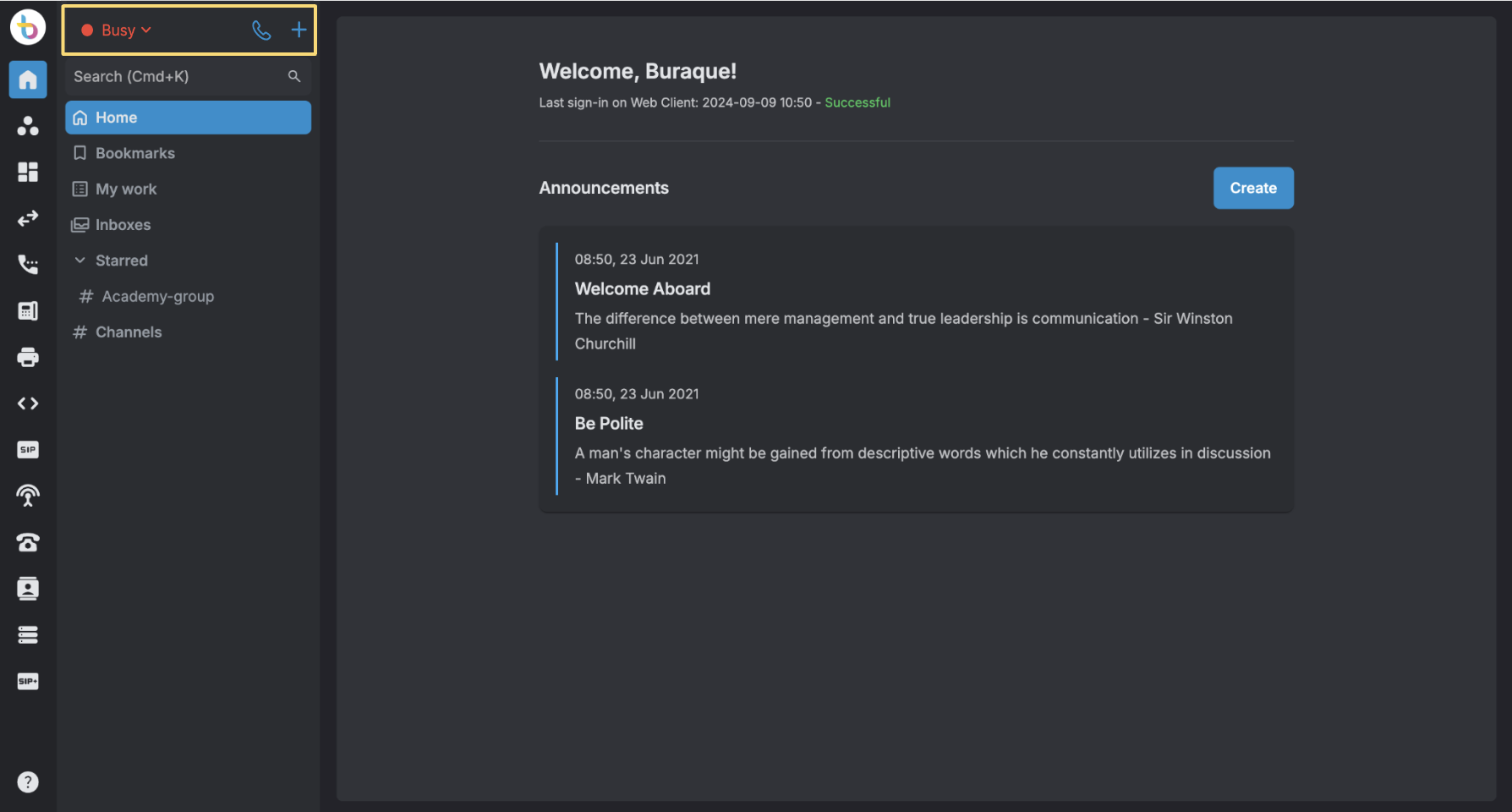
Display Agent's Status
The agents' state is displayed on Unified Workspace to ensure that users are aware of their current status, which helps them manage their workflow more effectively and ensures they are always aware of their task load and availability.
 Signing Out
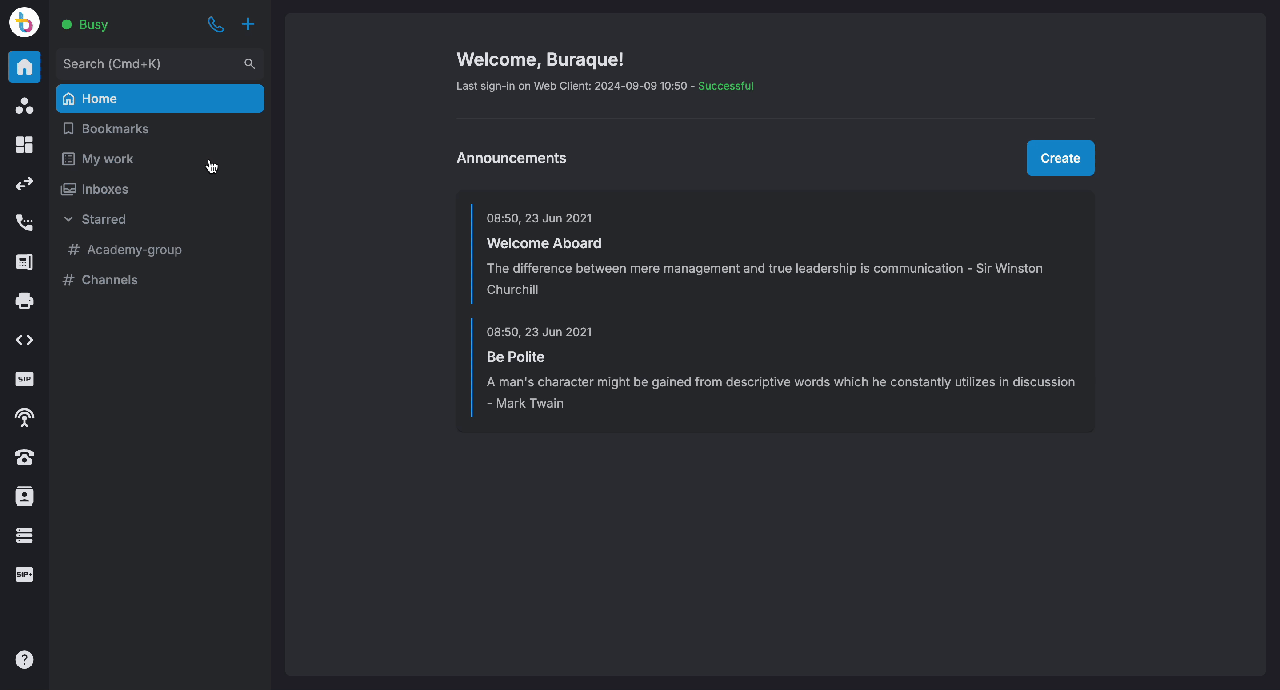
To Sign out, click on the profile icon > select Sign Out.
 Light/Dark Mode
Portal offers both light mode and dark mode, allowing users to select their preferred visual settings:
- Login to the portal
- Go to your Profile
- Turn on for Dark mode and Turn off for Light mode